
Understand real cash movement alongside outstanding balances.
CRM · OPERATIONS · FINANCE · ANALYTICS
The business behind the work,
The business behind the work,
finally in one place.
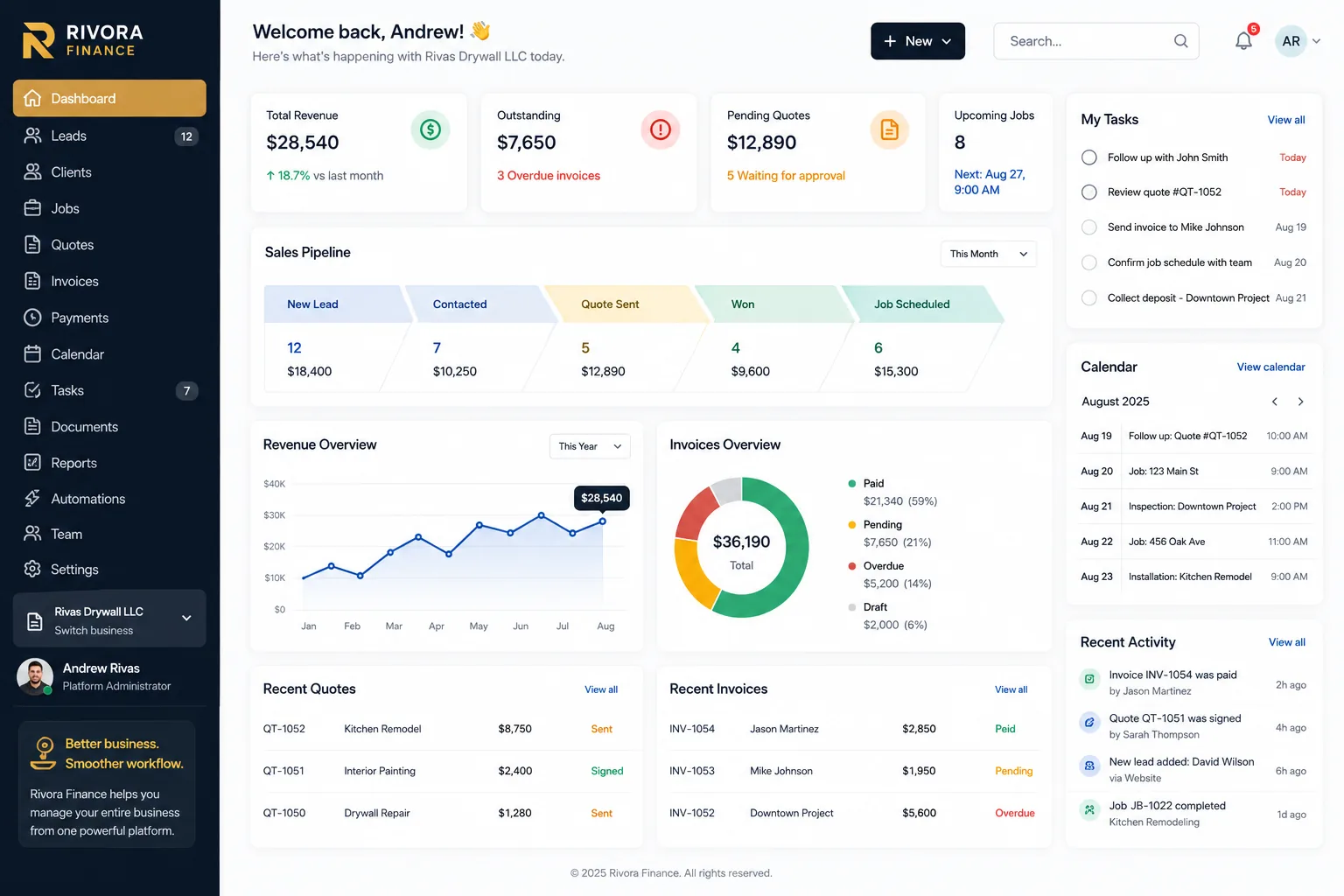
Rivora Finance connects your leads, clients, jobs, quotes, invoices, expenses, team and analytics in one clean workspace built for growing service businesses.
01
One workspace.
Every handoff.
Most businesses lose time between systems—not inside them. Rivora keeps the full path connected from the first lead to the final payment.
Explore the product →Capture opportunities, track follow-ups and keep the pipeline moving.
↗ 02Quotes & E-SignaturesCreate polished quotes, collect approval and move directly into work.
↗ 03Jobs & SchedulingTurn approved work into organized jobs, tasks and team assignments.
↗ 04Invoices & ExpensesTrack what is owed, what was collected and what the business spent.
↗ 05Businesses & TeamsKeep business data separated while giving each person the right access.
↗ 06Rivora IntelligenceConnect sales, cash flow, receivables, customers and operations into one view.
↗02
RIVORA INTELLIGENCE
Your data should tell
Your data should tell
one story.
See money, sales and operations together—without turning the dashboard into a wall of charts.
See analytics features →See where opportunities are converting and where follow-up is needed.
Connect workload and completion back to customers and revenue.
Know which relationships drive value, collections and open receivables.
03
From first contact
to money in the bank.
Rivora keeps the important business moments connected instead of making your team rebuild the same information in different tools.
01Lead
→
02Client
→
03Quote
→
04Job
→
05Invoice
→
06Payment
BUILT FOR REAL OPERATIONS
Simple enough to use every day. Structured enough to grow with you.
Multi-business
Manage separate companies without mixing their clients, financials or team access.
Bilingual
Each user can work in English or Spanish while the underlying business data stays unchanged.
Document-ready
Keep important client and business documents attached to the profiles where they belong.
Built to stay clean
Advanced tools are available when needed instead of crowding the everyday workflow.
Run the business
with a clearer view.
See how Rivora can fit the way your company already works—and make the handoffs simpler.
Book a demo ↗